Recipe shopping list
Create a grocery list from your recipes
Decide what you want to cook, choose the ingredients you need and take your grocery list to the store. No more switching between recipes and handwritten shopping lists.

Free to get started · iPhone and iPad
From recipe to grocery list in three simple steps
-
Choose what you want to cook
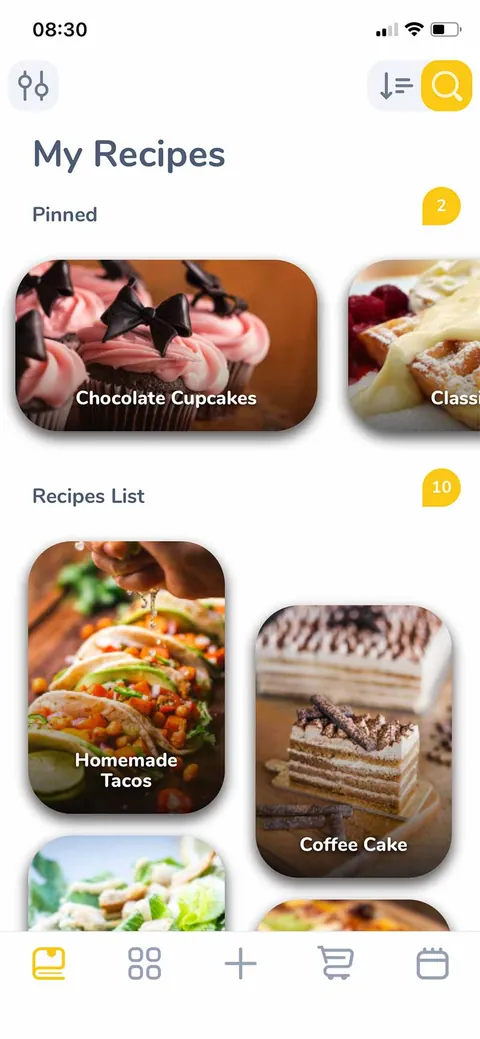
Open a recipe from your personal recipe book, whether it’s a family favorite or something you recently saved from the web.
-
Add the ingredients you need
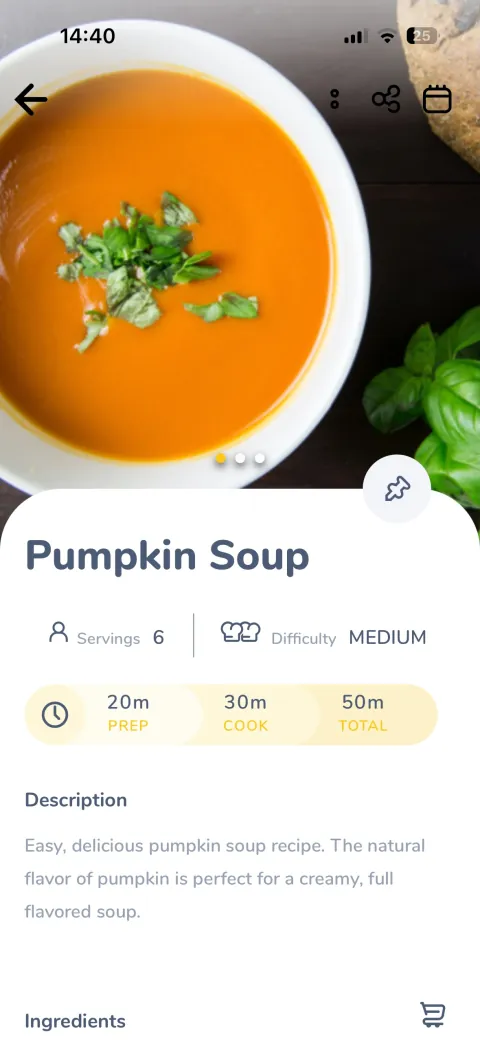
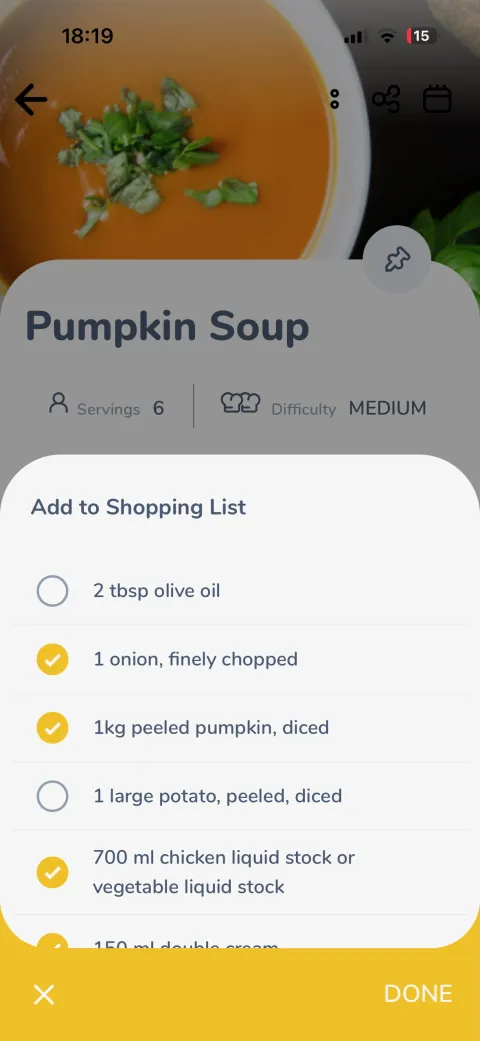
Tap the shopping cart icon and select the ingredients you want to buy. Leave out anything you already have at home.
-
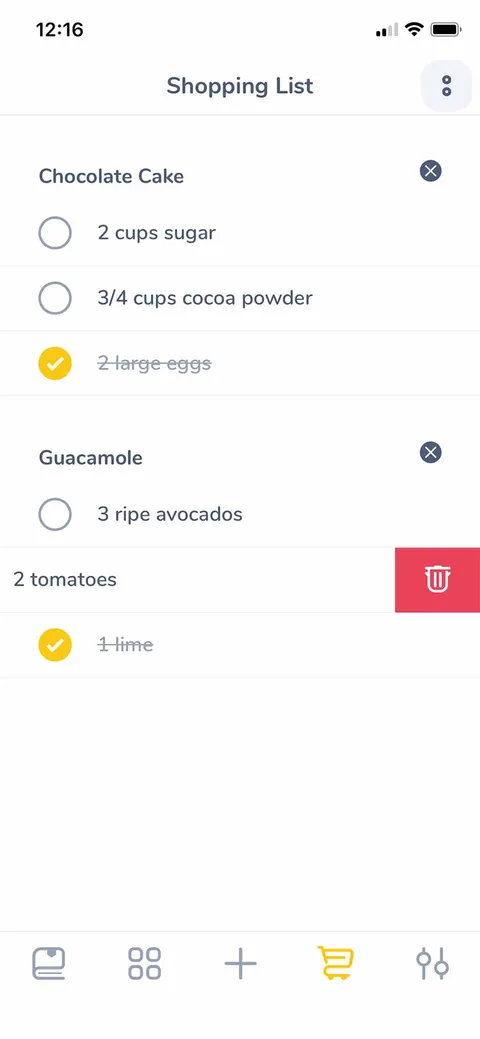
Check off items as you shop
Open your grocery list at the store and check off each ingredient as you put it in your cart.
Shop for what you need, not what you already have
Already have olive oil, flour or your favorite spices at home? You don’t have to add every ingredient to your grocery list.
Choose individual ingredients from a recipe or add the entire ingredient list. Spend less time writing shopping lists and more time enjoying what you cook.
Flour? In the pantry. Milk? In the fridge. Vanilla? On the shelf.
One grocery list for everything you’re cooking
Planning a few dinners, a weekend lunch or a birthday cake?
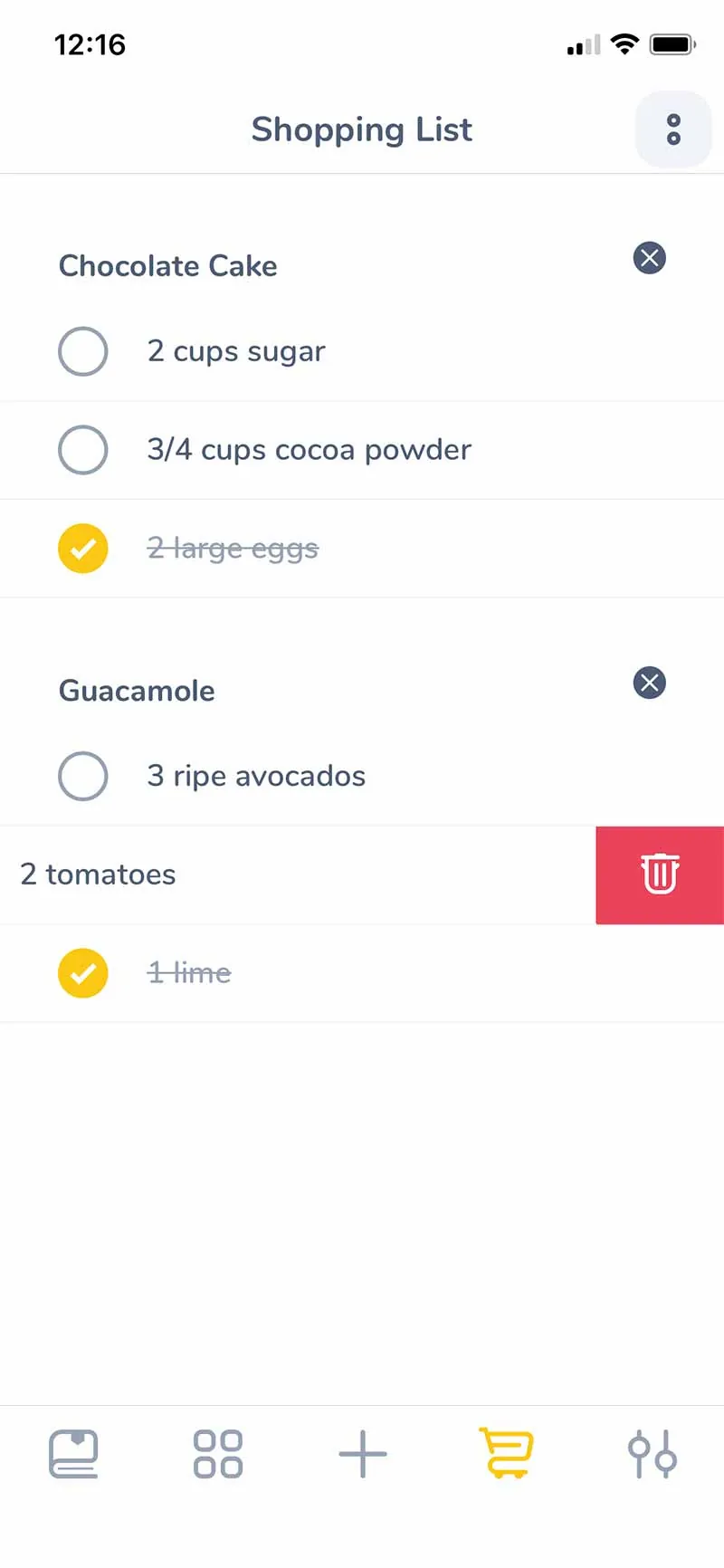
Add ingredients from different recipes to the same grocery list. Spiciko keeps ingredients grouped by recipe, so you can easily see what you need for each dish.
Check off items as you shop, remove individual ingredients or clear a recipe’s ingredients when you no longer need them.
- Ingredients grouped under each recipe
- Checked off as you shop
- Tap ✕ to clear a recipe’s ingredients
- Swipe to remove one ingredient
Plan your meals before you go shopping
Choose your meals for the week from your own recipe collection. Then add the ingredients you need from those recipes to your grocery list.
From deciding what’s for dinner to shopping for ingredients, everything stays connected in Spiciko.
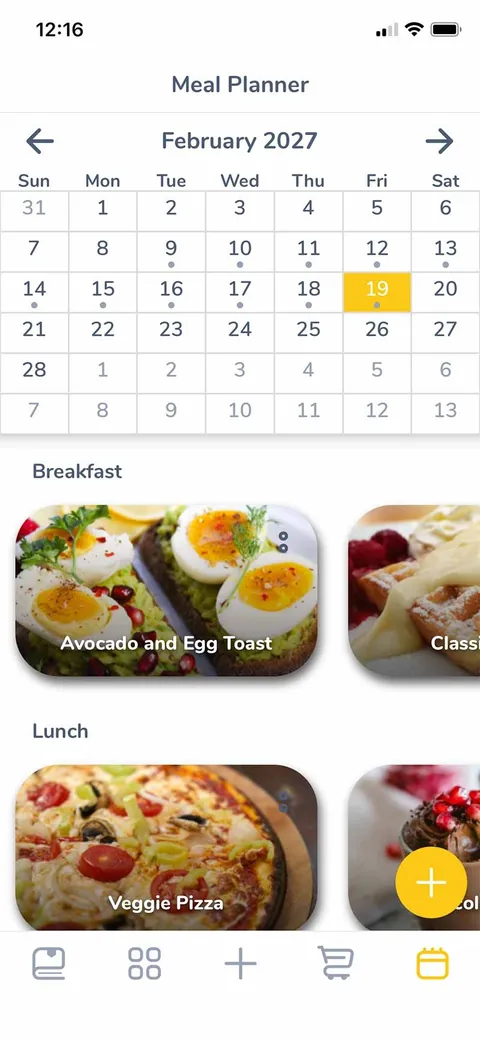
More than a grocery list app
Spiciko brings your recipes, meal planner and grocery list together in one beautifully organized app.
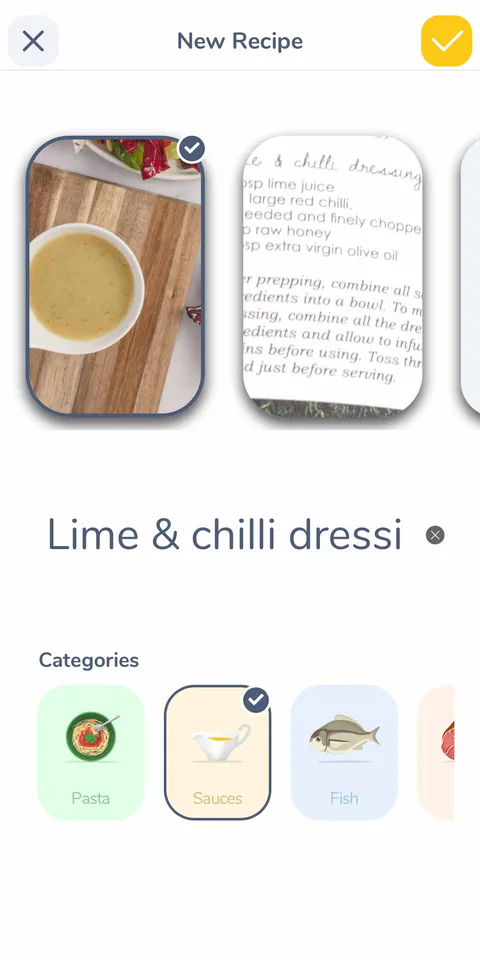
Save your favorite recipes
Import recipes from websites, type your own or keep photos of handwritten family recipes.



Create your personal cookbook
Keep the recipes you love in your own digital recipe book, organized into categories that make sense to you.
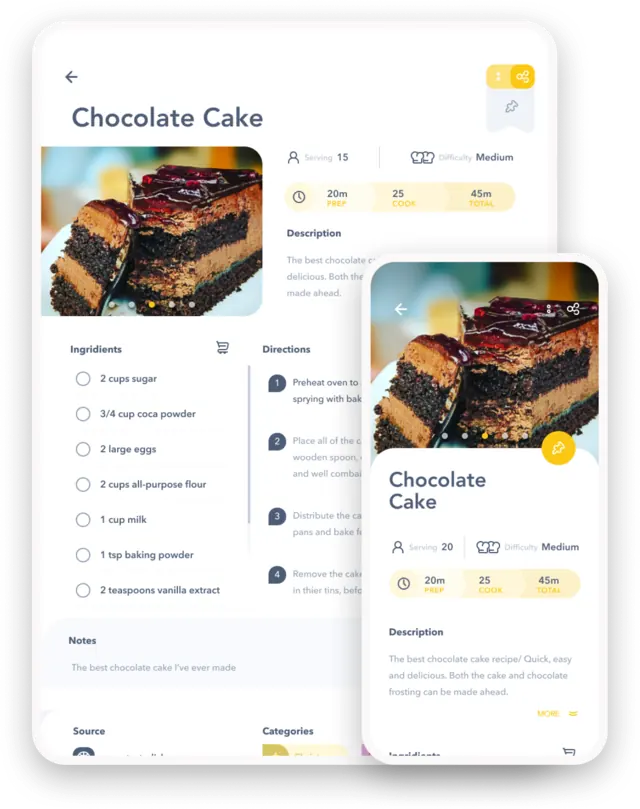
Keep your grocery list in sync
Start planning on your iPad and take your grocery list with you on your iPhone. With Spiciko Premium and a Spiciko account, your recipes and grocery list stay synchronized across your devices.
What home cooks say
Perfect recipe keeper
“This is a brilliant recipe keeping app. You can download recipes from web links perfectly, create menu plans and shopping lists.”
Love it!
“Been trying to organise my recipe collection for years and now I have. You can bring everything together in one place quickly and easily. I have a massive collection of recipes handwritten, torn out pages from magazines, emails, online links from Facebook etc and could never find what I was looking for but now I can - amazing app, I love it!”
Great App
“Super easy to use recipe app.”
Frequently asked questions
Is there an app that creates a grocery list from recipes?
Yes. Spiciko lets you create a grocery list directly from your saved recipes. Select the ingredients you need and add them to your shopping list without typing them again.
How do I turn a recipe into a grocery list?
Open a recipe in Spiciko, tap the shopping cart icon in the Ingredients section, select the ingredients you need and tap Done. Your selected ingredients will appear in your shopping list.
Can I make one grocery list from multiple recipes?
Yes. Add ingredients from each recipe you plan to cook to the same grocery list. Ingredients are grouped by recipe so you can see what each dish requires.
Can I add only the ingredients I need?
Yes. You can select individual ingredients and leave out anything you already have in your kitchen.
Can I create a grocery list from recipes I find online?
Yes. Import a recipe from a supported website into Spiciko, then select its ingredients and add them to your grocery list.
Can I use Spiciko on both my iPhone and iPad?
Yes. Spiciko is available on both iPhone and iPad. Premium users with a Spiciko account can synchronize their recipes and grocery list across devices.
Is Spiciko free?
Spiciko is free to download and get started with. An optional Premium subscription provides additional recipe storage, unlimited website imports and cloud synchronization.
Your next grocery trip just got easier.
Keep your favorite recipes, plan what to cook and shop for the ingredients you need — all in one app.
Free to get started · iPhone and iPad