A beautiful alternative to Recipe Keeper
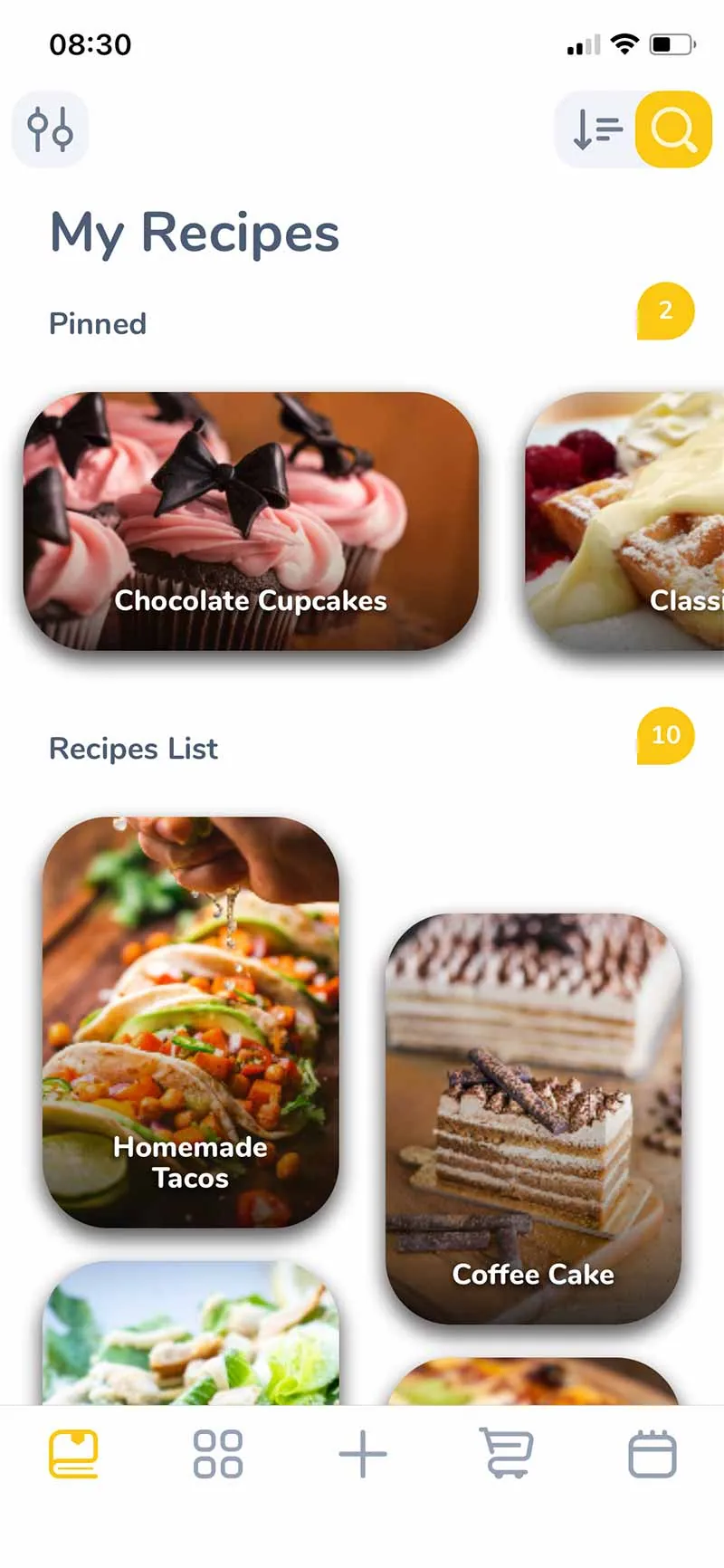
Looking for a new home for your favorite recipes? Meet Spiciko, a thoughtfully designed recipe app for iPhone and iPad that brings your personal cookbook, meal plans and grocery lists together.

Free to get started · iPhone and iPad
How does Spiciko compare to Recipe Keeper?
Both apps help you save recipes, plan meals and simplify grocery shopping. The right choice depends on the devices you use, the features you need and how you like to manage your recipe collection.
| Feature | Spiciko | Recipe Keeper |
|---|---|---|
| iPhone and iPad | Yes | Yes |
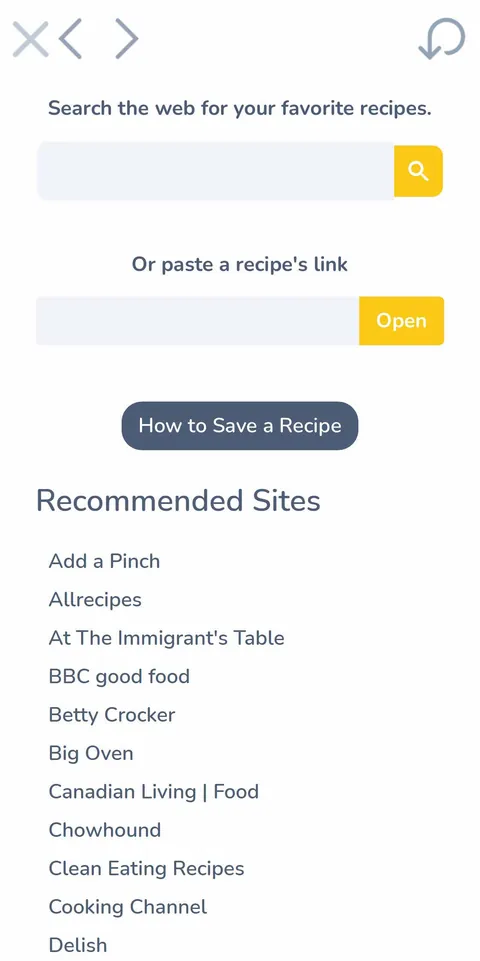
| Import recipes from websites | Yes | Yes |
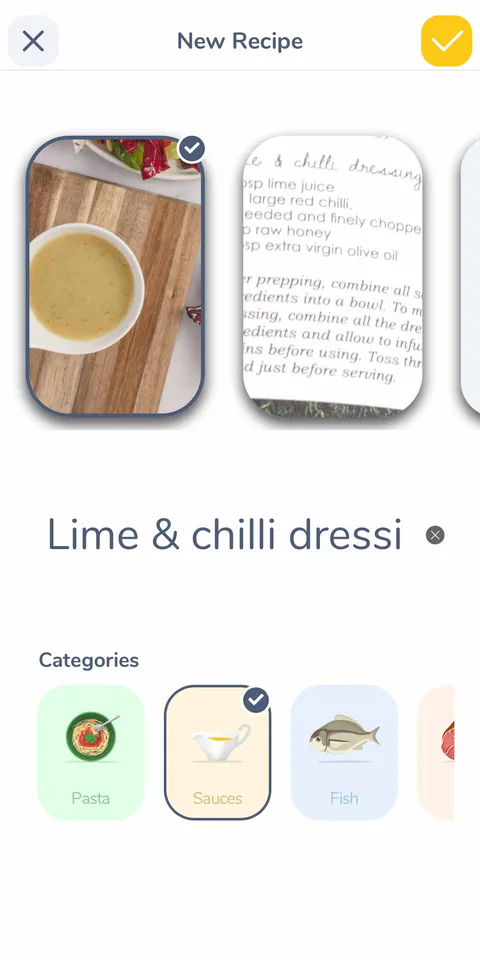
| Create custom recipe categories | Yes | Yes |
| Save photos of handwritten recipes | Yes | Yes |
| Meal planning | Yes | Yes |
| Grocery lists | Yes | Yes |
| Sync across devices | With Premium | Yes |
| Automatic text recognition from recipe photos | In an upcoming update | Yes |
| Instagram and TikTok recipe importing | In an upcoming update | Yes |
| Windows and Mac apps | Not currently available | Yes |
| Free to get started | Yes | Yes |
Comparison based on publicly available product information, last reviewed . Source: Recipe Keeper’s official website. Spiciko is an independent app and is not affiliated with Recipe Keeper.
Find the right recipe app for your kitchen
Spiciko may be a good fit if you:
- Primarily use an iPhone or iPad.
- Enjoy browsing a visual collection of your favorite recipes.
- Want to keep online recipes and photos of family recipes together.
- Prefer having your recipes, meal plans and grocery lists in one app.
Recipe Keeper may be a good fit if you:
- Need a recipe app for Windows or Mac, as well as your phone and tablet.
- Want to convert photographed or scanned recipes into editable text.
- Frequently import recipes directly from social media.
- Need features such as creating printable PDF cookbooks.
Both apps offer useful tools for home cooks. If Spiciko sounds like a good fit for your kitchen, you can download it and explore it for free before deciding whether to switch.
Thinking about switching from Recipe Keeper?
Your recipe collection is personal, especially when you’ve spent years saving family favorites and discovering new dishes. You don’t have to move everything at once to try Spiciko.
-
Start with a few favorites
Choose a handful of recipes you cook regularly and add them to Spiciko.
-
Bring your online recipes
If you have the original recipe website links, you can import those recipes into Spiciko.
-
Keep your family recipes
Add photos of handwritten recipe cards or cookbook pages, or type in your own recipes.
-
Try it in your everyday routine
Plan a few meals, create a grocery list from your recipes and see how Spiciko fits into your kitchen before moving more of your collection.
Spiciko does not currently offer direct bulk importing from Recipe Keeper.
Want to see more before you start? Learn how to organize your recipe collection or build your personal recipe book in Spiciko.
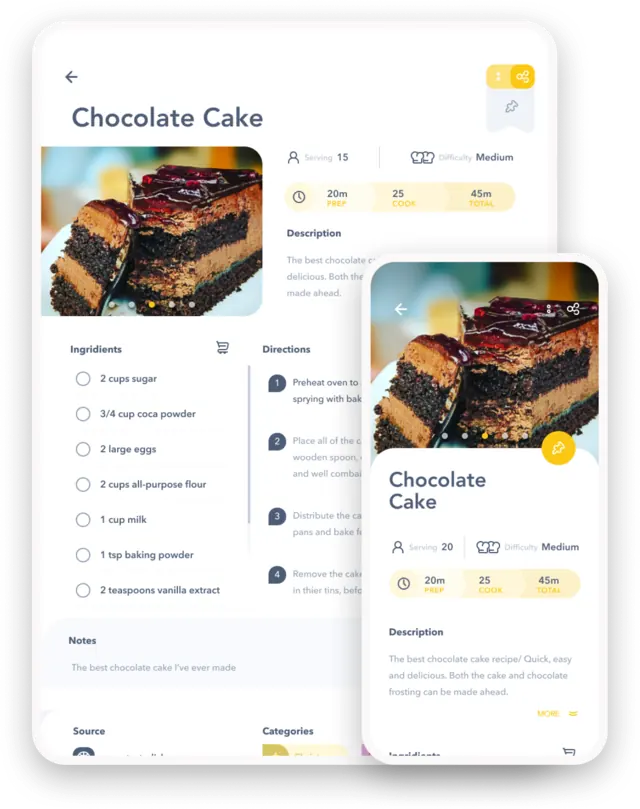
A recipe app for the devices you cook with
Discover a recipe on your iPhone and open it later on your iPad when you’re ready to cook. With Spiciko Premium, your recipes, meal plans and grocery list sync across your devices through your Spiciko account.
What home cooks say about Spiciko
Perfect recipe keeper
“This is a brilliant recipe keeping app. You can download recipes from web links perfectly, create menu plans and shopping lists.”
Questions about choosing a Recipe Keeper alternative
Is Spiciko an alternative to Recipe Keeper for iPhone and iPad?
Yes. Spiciko offers a personal recipe collection, meal planning and grocery lists in one app for iPhone and iPad. You can download it and try it for free to see whether it suits your needs.
What is the difference between Spiciko and Recipe Keeper?
Both apps offer tools for managing recipes, planning meals and grocery shopping. Spiciko focuses on a visual personal recipe collection for iPhone and iPad, while Recipe Keeper also offers desktop apps, automatic text recognition from scanned recipes and additional importing options.
Can I transfer my Recipe Keeper recipes to Spiciko?
Spiciko does not currently support direct bulk importing from Recipe Keeper. You can add recipes manually, import them from their original website links or save photos of your recipes.
Do I need to pay to try Spiciko?
No. Spiciko is free to download and get started with. Premium features are available through an optional upgrade.
Can I try Spiciko before switching from Recipe Keeper?
Yes. You can keep your existing recipe collection in Recipe Keeper while exploring Spiciko with a few of your favorite recipes. There is no need to transfer your entire collection before trying the app.
Is Spiciko available for both iPhone and iPad?
Yes. Spiciko is available for iPhone and iPad. Syncing between your devices is available with Spiciko Premium.
Give your favorite recipes a new home.
Try Spiciko with a few recipes you love and see how it fits into your kitchen.
Free to get started · iPhone and iPad